


TrueCar: Buy Used & New Cars
3.53.71K Reviews
App Specs
- Version
- 17.2.3
- Updated On
- License
- Free
- Downloads
- 1,000,000+
- Developer
- TrueCar Inc
- Categories
- Auto & Vehicles
- Platform
- Android, iOS
Screenshots
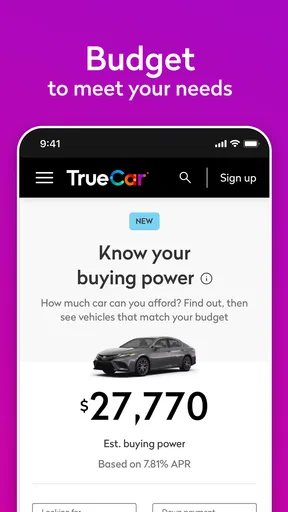
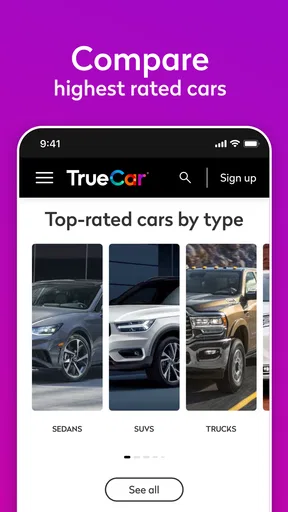
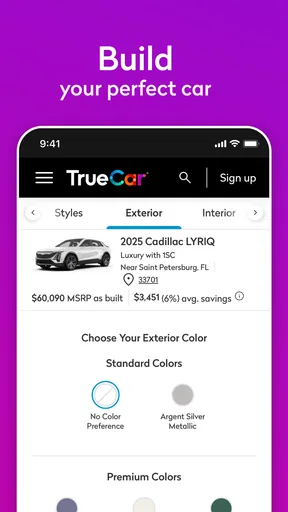
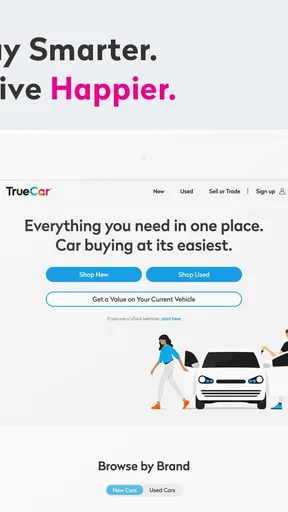
 Analysis by AppCompare
Buying a car can feel like a second job, especially when you are trying to compare new and used vehicles while also figuring out what your current car might be worth. I found TrueCar: Buy Used & New Cars useful because it puts those tasks in one place instead of making me jump between separate classified listings, valuation tools, and dealership pages. It is a free Auto & Vehicles app from TrueCar Inc, aimed at helping people search listings, compare choices, and think through a trade-in.
My first impression was that it works best as a research companion rather than a complete replacement for a test drive or a careful conversation with a seller. The app can make the early stages of shopping more organized, but it cannot remove the decisions that matter most: whether a particular car has been maintained properly, whether its condition matches the listing, and whether the total cost fits your budget. The real value is in narrowing the search before you spend time visiting cars.
What to expect when you open TrueCar
TrueCar is built around the way most people actually begin a car search: they have a general idea of the type of vehicle they want, but they are not yet ready to choose one exact listing. I could use it to explore both new and used cars, compare alternatives, and keep my trade-in in the same overall shopping process. That makes it particularly practical for someone who is still deciding between several models, body styles, or ownership plans.
The app is not limited to one narrow type of buyer. A first-time owner can use it to get familiar with the market, while an experienced driver can use it to check whether a shortlist is realistic. Someone replacing an aging vehicle may appreciate being able to look at used options and newer alternatives without treating those as completely separate searches.
Its store summary is simple, but the useful interpretation is broader: this is a discovery and comparison tool. It helps you move from “I need a car” to “these are the vehicles I should investigate.” That distinction matters. If you expect the app to make the final purchase decision for you, it may feel incomplete. If you want a more structured way to gather candidates, it is much more convincing.
The audience is also reflected in its broad availability. The app is rated for Everyone, and it has been available since Apr 10, 2014. The current release is version 17.2.3, and it runs on Android 7.0 or later. Those details make it approachable for people who are not using a brand-new phone, although the experience will still depend on the device and the quality of the connection.
TrueCar has attracted over a million installs, with an average rating of 3.5 from around twelve thousand ratings and roughly three thousand seven hundred written reviews. I would read that as a sign of a useful but not universally loved tool. It is worth trying, but I would not assume every shopper will find the browsing experience equally smooth.
Worth Reading Before You Choose

EA SPORTS FC Mobile 26 Is a Bigger Football Game, but It Takes Time

Flipboard Shows What News Apps Must Do Beyond the Feed

Switching to Android Auto Means Rethinking Your Driving Routine

Google Calendar Makes a Crowded Week Easier to Manage

Ludo King Makes the Most of the Minutes Between Plans

Baby Panda World Brings Quick Play to Modern Phones, but Its Game Library Feels Busy
Why the combined search matters
One of the better decisions in the app is bringing new and used inventory into the same shopping journey. In ordinary car research, it is easy to compare a new model on one website with a used model somewhere else and lose track of the differences. With TrueCar, I can begin with the kind of car I want and then see whether changing the vehicle age or condition opens up better choices.
That comparison is especially useful when the monthly budget is more important than the badge on the hood. A newer, simpler car may be preferable to an older, more expensive trim, while a carefully chosen used vehicle may offer equipment that would cost much more when buying new. The app does not make that judgment for me, but it gives me a more practical place to start.
Setting up a useful search instead of browsing aimlessly
My advice to a first-time user is to decide on a few priorities before opening the search. I would write down the body style, the approximate budget, the maximum age I am comfortable considering, and the features I genuinely need. Without that preparation, it is easy to scroll through attractive listings that do not fit the real purpose of the car.
Start broadly enough to see the market, but not so broadly that every result becomes noise. For example, if I need a vehicle for commuting and occasional family trips, I might begin with a compact sedan or small SUV rather than searching every vehicle type. Once I see what is available, I can widen the search if the results are too limited or narrow it if the choices become overwhelming.
The trade-in area deserves attention before you become emotionally attached to a replacement car. Entering your current vehicle into the process can help frame the shopping decision around the changeover, not just the price of the next car. I find this more useful than treating the old vehicle as an afterthought because its condition and value can affect how ambitious the replacement search should be.
There is a practical workflow here that many new shoppers miss. First, create a short list of several comparable vehicles. Next, compare their equipment and overall asking position rather than focusing on a single appealing photo. Then revisit the trade-in side and ask whether the replacement still makes sense after accounting for what you already own. This prevents the common mistake of choosing a car before understanding the full transaction.
How I would prepare before saving anything
I would also separate “must have” features from “nice to have” features. A backup camera, usable cargo space, or a certain seating arrangement may be essential for your daily life. A premium trim, a particular wheel design, or an optional color may only be attractive while browsing. Keeping those categories separate makes the comparison more honest.
Another useful habit is to save the reasoning behind each candidate, even if that means writing a short note outside the app. I might record why one listing looked promising, what compromise it involved, and what I still need to verify. This avoids a problem common to car shopping: after viewing many similar vehicles, I remember the impression but not the specific reason a listing made the shortlist.
The app is free, which removes an obvious barrier to trying it. Still, free access should not be confused with a free buying process. A vehicle can carry costs beyond the displayed figure, including ownership, maintenance, insurance, registration, and financing considerations. I use the app to organize the search, then treat the final budget as a separate calculation.
Reaching the first meaningful success
For a new user, the first successful action should not be buying a car. It should be producing a trustworthy shortlist. I would consider the setup successful when I have a handful of vehicles that match my actual needs, are close enough to compare, and give me clear reasons to continue investigating.
That first result becomes more useful when I compare unlike choices deliberately. Instead of asking only which listing looks cheapest, I would ask what changes between the vehicles: age, mileage, equipment, body style, and likely suitability for my routine. Even when the app presents the listings clearly, the quality of the decision depends on the questions I bring to the screen.
A realistic example would be a driver whose current car has become unreliable. They install TrueCar, search for used replacements, and notice that several vehicles fit the initial budget. Rather than contacting the first seller, they create a shortlist, compare similar models, and use the trade-in process to understand the starting point. The meaningful success is leaving the app with a focused plan for inspections and conversations.
I would then take the shortlist into the real world. For each candidate, I would verify the vehicle identification details, inspect the interior and exterior, ask for maintenance records, and arrange an independent inspection when appropriate. A polished listing can help me decide what to see, but it cannot confirm mechanical condition through a phone screen.
A smarter way to compare listings
One non-obvious benefit of using a dedicated car-shopping app is that it encourages comparison before contact. When a seller is the first source of information, the conversation can steer the buyer toward the seller’s preferred angle. Browsing several options first gives me a reference point, so I can recognize when a particular feature or price is genuinely distinctive and when it is simply being presented persuasively.
I also avoid comparing a bare-bones new car with a fully equipped used vehicle as if they were direct equivalents. The better approach is to compare what I would actually use. If a used car includes features that matter every day, I ask whether the newer alternative would require an upgrade or an option package. This turns the app from a scrolling catalog into a tool for understanding trade-offs.
For trade-ins, I would be careful about treating any displayed estimate as a guaranteed outcome. The condition, history, and inspection of the vehicle can affect what happens next. I see the trade-in function as a planning aid: it helps me estimate the shape of the transaction and decide whether selling privately, trading in, or keeping the current car deserves more thought.
Where first-time users may get confused
The biggest source of confusion is the difference between a listing and a promise. A listing describes a vehicle as presented, but it is still my responsibility to check the details. I would confirm that the advertised trim, equipment, condition, and location match what I see when I make contact. This is not a criticism unique to TrueCar; it is simply an important boundary for every online vehicle marketplace.
Another point of friction is the temptation to treat search filters as a complete definition of value. Filters can reduce the number of results, but they do not know which compromises will bother me after ownership. A vehicle that passes a budget filter may still be wrong because its cargo area is too small, its seating position is uncomfortable, or its age makes me uneasy.
Location can also change how useful a shortlist is. A promising vehicle is less practical if seeing it requires a long trip, especially when several similar options are closer. I would check the distance and plan visits in groups whenever possible. That small bit of organization can save time and make the comparison more consistent.
Some shoppers may also expect a completely uniform experience across all vehicles. In practice, listings can vary in how much information they provide and how easy they are to compare. When one result has more detail than another, I do not automatically interpret that as better condition. I treat missing context as a reason to ask questions, not as evidence either way.
What the app cannot replace
TrueCar cannot replace a mechanic, a test drive, or a careful review of paperwork. I would not use it as my only source for judging accident history, maintenance quality, current mechanical condition, or the fairness of a final deal. Those decisions require evidence beyond a listing interface.
I would also avoid using it when I have already decided on one very specific vehicle and only need a technical service manual or a detailed enthusiast discussion. In that situation, a manufacturer resource, a specialist forum, or an independent vehicle history and inspection process may be more useful. TrueCar is strongest earlier, when I need to discover and compare candidates.
Likewise, shoppers who want a highly personal buying service may prefer working directly with a trusted local dealer or broker. The app gives me structure and breadth, but it does not know my driving habits as well as I do, and it cannot negotiate my priorities on my behalf.
Taking the next step without rushing the purchase
Once I have a shortlist, I would move in stages. I would first remove vehicles that fail a practical requirement, then compare the remaining choices on condition, equipment, distance, and expected ownership fit. Only after that would I arrange conversations or visits. This order keeps the search from being driven by the most attractive photograph or the first result on the screen.
Before contacting anyone, I would prepare a short question list. I would ask whether the vehicle is still available, request confirmation of the key specifications, ask about known damage or repairs, and clarify what documentation can be reviewed. The exact questions will differ between a new and used car, but the principle is the same: use the app to start an informed conversation rather than to end your investigation.
For a trade-in, I would gather the current vehicle’s basic details and be realistic about its condition. Clean, accurate information makes the next stage easier and reduces the risk of building a replacement budget around an overly optimistic assumption. If the trade-in value changes, I would return to the shortlist instead of forcing the original choice to work.
TrueCar is a good fit for people who want a free way to begin new and used car research with more structure than ordinary browsing. I especially recommend it to first-time shoppers who need help turning a vague goal into comparable options, and to owners who want to consider a trade-in while exploring replacements.
I would skip it as my main tool if I expect a definitive mechanical assessment, a complete buying service, or a perfect answer without doing any follow-up work. Its average rating of 3.5 suggests a mixed experience, and I can understand why: the app is useful for organizing discovery, but the actual quality of a car purchase still depends on the listing, the seller, the vehicle, and the buyer’s diligence.
Overall, I see TrueCar: Buy Used & New Cars as a sensible first stop rather than the final stop. Install it with a clear idea of your needs, build a shortlist instead of chasing every result, use the trade-in process for planning, and verify everything important in person. Used that way, it can make the most confusing part of car shopping feel much more manageable without pretending that a phone app can replace real-world judgment.
Pros
- Compare prices and listings from multiple dealerships in one place.
- Vehicle history reports help identify possible past damage or title issues.
- Saved searches and alerts notify you when matching cars are listed.
- VIN scanning makes it easier to research a specific vehicle.
- Financing tools can estimate monthly payments before visiting a dealer.
Cons
- Availability and pricing vary considerably by location.
- Some listings may include dealer fees not obvious at first glance.
- Not every local dealership or private seller is represented.
- Financing offers depend on credit approval and lender terms.
- The app may request personal information for quotes and offers.
FAQs for TrueCar: Buy Used & New Cars
What is TrueCar: Buy Used & New Cars, and how does it work?
TrueCar is a vehicle-shopping app that helps users research, compare, and find new or used cars from participating dealerships and private sellers, depending on the available listings. You can browse by make, model, price, mileage, location, and features. The app may also provide estimated pricing information, vehicle details, dealer offers, and tools intended to make the buying process more transparent.
Can I buy a car directly through the TrueCar app?
TrueCar generally works as a marketplace and connection service rather than a complete online dealership for every vehicle. You can use the app to find cars, review listing information, compare prices, and contact participating dealers. The final purchase, financing arrangements, trade-in evaluation, paperwork, taxes, registration, and delivery options are normally handled with the dealer, so confirm all terms before committing.
Are the prices and vehicle listings on TrueCar accurate?
TrueCar listings can be useful for comparing vehicles and understanding local market prices, but availability and pricing may change quickly. A displayed price can depend on factors such as location, dealer fees, incentives, financing requirements, taxes, registration, and eligibility. Before visiting or making an offer, contact the seller to verify that the vehicle is still available and that the advertised price applies to your situation.
Does TrueCar offer financing, trade-ins, or vehicle history information?
The app may provide access to financing-related tools, estimated payments, trade-in resources, and vehicle history or condition details for certain listings. The exact services depend on the vehicle, dealer, location, and current TrueCar partnerships. Treat payment estimates as preliminary, review the loan terms carefully, and request a complete history report and independent inspection when buying a used car.
Is TrueCar free to download and safe to use?
TrueCar can typically be downloaded without an upfront charge, although normal mobile data usage may apply. The app may request personal information so it can show localized listings, offers, or connect you with dealers. Use the official app store, review privacy and communication settings, and avoid sharing sensitive financial details until you have verified the dealer and understand why the information is required.


